
Every digital file you create represents your time, effort, and creativity, so protecting it is important. Whether it is a photo, PDF, document, or design, adding a watermark helps show that the content belongs to you. A simple watermark can discourage unauthorized copying while making your work look more professional. It also helps people recognize your name, logo, or brand whenever your files are shared. The best part is that anyone can add a watermark without needing special skills or expensive software.
Adding a watermark is quick and easy, taking only a few minutes with the right tool. You can customize the text watermark, logo watermark, size, position, and transparency without compromising your file quality. This guide explains everything in simple English, making it easy for beginners to follow each step. You will learn why watermarks are useful, when to use a watermark, and the easiest ways to add a watermark to different types of files. By the end of this article, you will be ready to protect your content with confidence while keeping it clean, professional, and easy to share.
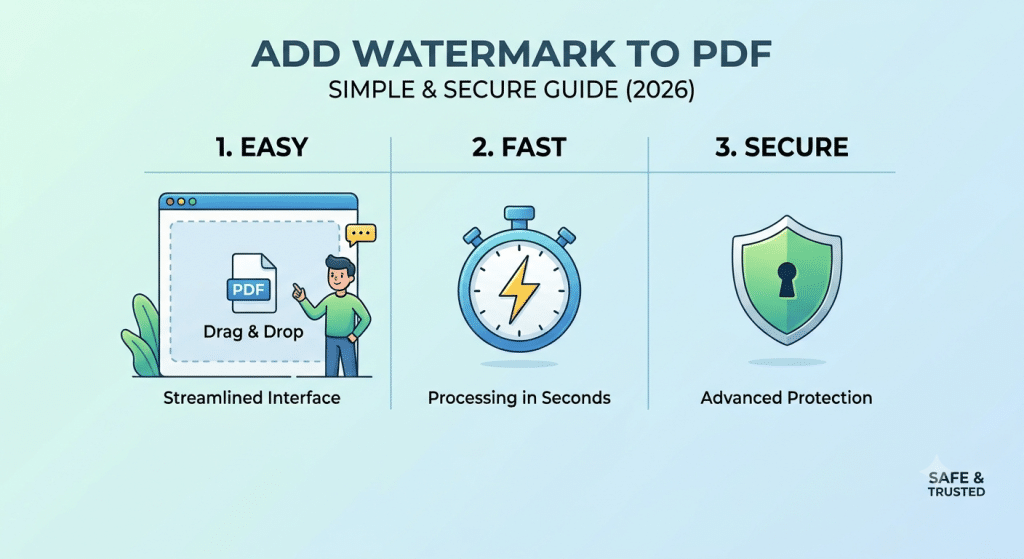
What Is a Watermark?
A watermark is a visible or hidden mark that is added to a digital file to show ownership. It can be a text, logo, image, or symbol placed on photos, PDFs, Word documents, videos, or other files. The main purpose of a watermark is to let others know who created or owns the content. It helps protect your work when you share it online or offline.
Today, watermarks are used by photographers, designers, businesses, teachers, students, bloggers, and content creators around the world. Instead of leaving a file without identification, adding a watermark makes it clear that the content belongs to you. It also gives your files a more professional appearance while promoting your personal or business brand.
Types of Watermarks
There are different types of watermarks, and each serves a different purpose. A text watermark usually contains a person’s name, company name, website, or copyright notice. It is simple to create and works well for documents and images. A logo watermark uses a company logo or brand icon to increase recognition while protecting digital content.
Some watermarks are fully visible, while others are transparent and blend into the background without distracting viewers. Depending on your needs, you can choose a watermark that is bold and noticeable or one that is soft and elegant. The right watermark should protect your content without reducing its overall quality or appearance.
Why Is Adding a Watermark Important?
Creating digital content often takes a lot of time, effort, and creativity. Whether you design graphics, write documents, or capture photographs, your work deserves protection. Adding a watermark is one of the easiest ways to show ownership and reduce the chances of unauthorized copying or misuse.
A watermark also builds trust with your audience. When people repeatedly see your logo or name on your work, they begin to recognize your brand. This improves your professional image and helps others remember who created the content. While a watermark cannot stop every type of copying, it makes it much harder for someone to claim your work as their own.
Benefits of Adding a Watermark
Adding a watermark provides several advantages for both individuals and businesses. The biggest benefit is content protection. It reminds viewers that the file belongs to someone and should not be copied without permission. This is especially useful for photographers, graphic designers, artists, and online sellers who regularly share original work.
A watermark also improves brand awareness. Every time someone views or shares your file, your name or logo remains visible. This can help attract more visitors to your website or social media pages. In addition, watermarks give documents and images a professional look, making them more trustworthy and easier to identify.
Who Should Use Watermarks?
Anyone who creates or shares digital content can benefit from using watermarks. Photographers use them to protect images, designers use them to secure artwork, and businesses use them to strengthen brand identity. Bloggers, teachers, students, freelancers, and online store owners also use watermarks to show ownership of their work.
Even if you only share files occasionally, adding a watermark is still a good habit. It takes only a few moments, but it can help prevent confusion about who created the content. Whether your files are personal or professional, a watermark adds an extra layer of protection and credibility.
Where Can You Add a Watermark?
A watermark can be added to many different types of digital files. The most common files include images, PDF documents, Microsoft Word files, PowerPoint presentations, Excel sheets, and even videos. Many online tools and software programs support watermarking, making the process quick and simple.
You can also use watermarks on marketing materials, presentations, reports, certificates, eBooks, invoices, and product photos. No matter where your content is shared, a watermark helps keep your ownership visible. This is especially important when files are downloaded, forwarded, or posted on different websites and social media platforms.
How to Add a Watermark
Adding a watermark is easier than many people think. Most online watermark tools and desktop applications allow you to upload your file, choose a text or logo, adjust its position, and download the finished file within minutes. You do not need advanced editing skills to complete the process.
Before saving your file, you can customize the watermark by changing its size, color, transparency, font, and placement. This allows you to create a watermark that protects your content without making it difficult to read or view. A balanced design keeps the file professional while still showing clear ownership.
Best Free Tools to Add a Watermark
Choosing the right watermark tool can save time and make the process much easier. Many free tools allow you to add text watermarks or logo watermarks without installing complicated software. These tools are suitable for beginners, students, businesses, photographers, and content creators who want to protect their digital files quickly.
Most free watermark tools include useful features such as adjusting the watermark size, changing its position, controlling transparency, and downloading the finished file in high quality. Before selecting a tool, make sure it supports the file format you want to edit, whether it is an image, PDF, or document.
How to Use a Watermark Tool
- Open your preferred watermark tool.
- Upload your image, PDF, or document.
- Select Text Watermark or Logo Watermark.
- Enter your text or upload your logo.
- Adjust the font, size, color, and transparency.
- Choose the watermark position.
- Preview the final result.
- Download the watermarked file.
How to Create a Professional Watermark
A professional watermark should protect your content without making it difficult to view. It should be simple, clean, and easy to recognize. Many people use their business name, website, copyright notice, or company logo as a watermark because it helps build brand awareness while protecting digital content.
Avoid making your watermark too large or too bright. Instead, use a balanced design with moderate transparency so it blends naturally with the file. A well-designed watermark looks professional and keeps your content attractive while still showing ownership.
Steps to Create a Professional Watermark
- Decide whether you want a text or logo watermark.
- Choose a clear and readable font.
- Keep the design simple and uncluttered.
- Use your business name or brand logo.
- Set the transparency between 20% and 40%.
- Place the watermark where it is visible but not distracting.
- Preview the file before saving.
- Save the watermark for future use.
How to Add Text as a Watermark
A text watermark is one of the easiest ways to protect digital content. It usually includes your name, company name, website, or a copyright message. Text watermarks work well for documents, PDFs, presentations, and images because they are easy to create and customize.
You can change the font style, color, size, transparency, and position to match your design. A simple and readable text watermark protects while maintaining a clean and professional appearance.
Steps to Add a Text Watermark
- Upload your file to the watermark tool.
- Select Add Text Watermark.
- Type your name, brand, or copyright notice.
- Choose the font style and size.
- Select a suitable text color.
- Adjust the transparency level.
- Place the watermark in the desired position.
- Save and download the final file.
How to Add a Logo as a Watermark
A logo watermark is an excellent choice for businesses, photographers, and content creators who want to increase brand recognition. Instead of adding plain text, you can upload your company logo and place it on your images, PDFs, or documents.
A logo watermark should be clear but not overpowering. Using a transparent logo helps protect your work while keeping the original file attractive. Make sure your logo is high quality so it remains sharp after being added to the file.
Steps to Add a Logo Watermark
- Open your preferred watermark tool.
- Upload your image, PDF, or document.
- Select Add Logo Watermark.
- Upload your logo file.
- Resize the logo if necessary.
- Adjust the transparency.
- Place the logo in the preferred location.
- Preview and download the finished file.
Frequently Asked Questions (FAQs)
What is a watermark?
A watermark is a text, logo, or image added to a file to show ownership and protect digital content.
Why should I add a watermark?
A watermark helps reduce unauthorized copying, protects your work, and improves brand recognition.
Can I add a watermark for free?
Yes. Many online watermark tools allow you to add text or logo watermarks without paying.
Does adding a watermark reduce image quality?
No. A good watermark tool keeps the original file quality while adding the watermark.
Which is better: a text watermark or a logo watermark?
Both are useful. A text watermark is simple and quick, while a logo watermark provides stronger branding.
Can I add watermarks to PDF files?
Yes. Many PDF editors and online tools support adding watermarks to PDF documents.
Is it possible to watermark multiple files at once?
Yes. Some watermark tools offer batch watermarking, allowing you to process multiple files together.
Where should I place a watermark?
Place it where it is visible but does not cover important content. The center or bottom corner is a common choice.
Final Thoughts
Adding a watermark is one of the simplest and most effective ways to protect your digital content while building your personal or business brand. Whether you choose a text watermark or a logo watermark, it helps show ownership, discourages unauthorized use, and gives your files a more professional appearance. With many free and easy-to-use watermark tools available today, anyone can secure images, PDFs, documents, and other digital files in just a few minutes.
By following the methods and best practices explained in this guide, you can create a clean, professional watermark that protects your work without affecting its quality. Choose the right placement, use appropriate transparency, and keep your design simple for the best results. A well-designed watermark not only safeguards your content but also helps people recognize your brand whenever your files are shared.